Writing /
Past, Present, and Future of React State Management
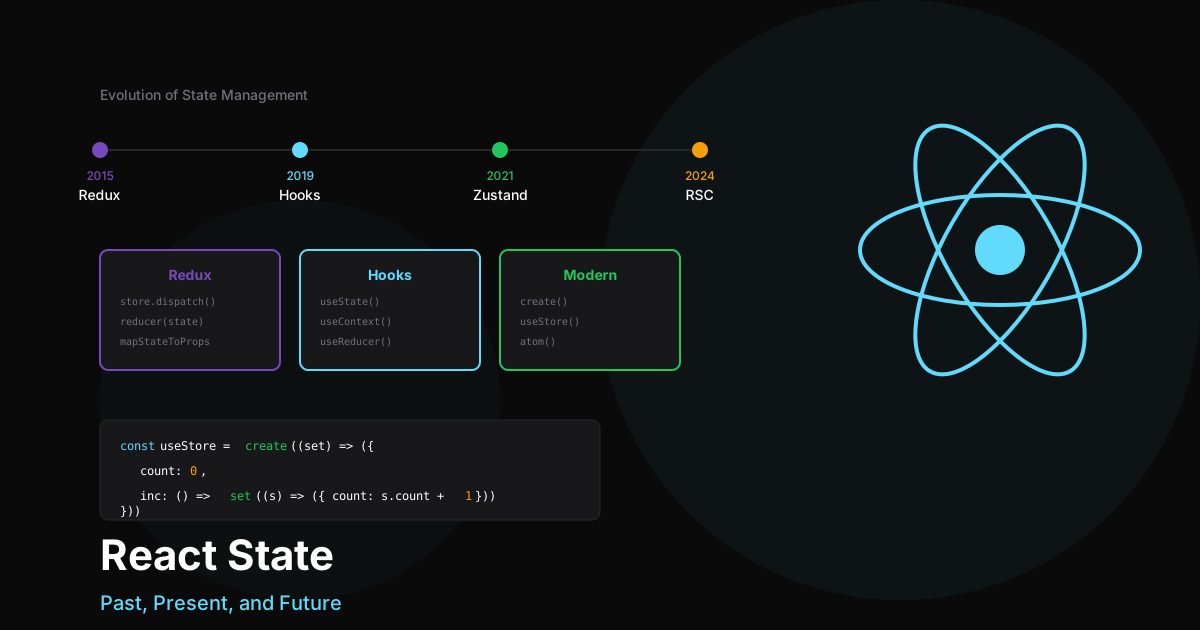
The Evolution of React State Management
State management in React has come a long way since the early days. Let’s take a journey through time and explore how we got here, and where we’re heading.
The Past: Redux Era (2015-2019)
The Problem
In the early days of React, managing state across components was challenging:
// The prop drilling nightmare
function App() {;
  const [user, setUser] = useState(null);
  const [theme, setTheme] = useState('light');
  const [notifications, setNotifications] = useState([]);

  return (
    <Layout
      user={user}
      theme={theme}
      notifications={notifications}
      setUser={setUser}
      setTheme={setTheme}
      setNotifications={setNotifications}
    >
      {/* Props passed down through many layers... */}
    </Layout>
  );
}
Redux to the Rescue
Redux introduced a centralized store with predictable state updates:
// Redux store setup
const initialState = {
  user: null,
  theme: 'light',
  notifications: []
};

function rootReducer(state = initialState, action) {;
  switch (action.type) {
    case 'SET_USER':
      return { ...state, user: action.payload };
    case 'SET_THEME':
      return { ...state, theme: action.payload };
    case 'ADD_NOTIFICATION':
      return {
        ...state,
        notifications: [...state.notifications, action.payload]
      };
    default:
      return state;
  }
}
The Redux Boilerplate Problem
While powerful, Redux came with significant boilerplate:
// Action types
const SET_USER = 'SET_USER';
const SET_THEME = 'SET_THEME';

// Action creators
const setUser = (user) => ({ type: SET_USER, payload: user });
const setTheme = (theme) => ({ type: SET_THEME, payload: theme });

// Selectors
const selectUser = (state) => state.user;
const selectTheme = (state) => state.theme;

// Connect component (class component era)
const mapStateToProps = (state) => ({
  user: selectUser(state),
  theme: selectTheme(state)
});

const mapDispatchToProps = { setUser, setTheme };

export default connect(mapStateToProps, mapDispatchToProps)(MyComponent);
The Present: Hooks & Modern Solutions (2019-Present)
React Hooks Changed Everything
The introduction of hooks in React 16.8 revolutionized state management:
// Context + Hooks = Simple global state
const UserContext = createContext();

function UserProvider({ children }) {;
  const [user, setUser] = useState(null);

  const login = async (credentials) => {
    const user = await api.login(credentials);
    setUser(user);
  };

  const logout = () => setUser(null);

  return (
    <UserContext.Provider value={{ user, login, logout }}>
      {children}
    </UserContext.Provider>
  );
}

// Usage in any component
function Profile() {;
  const {; user, logout } = useContext(UserContext);

  return (
    <div>
      <h1>Welcome, {user.name}</h1>
      <button onClick={logout}>Logout</button>
    </div>
  );
}
Modern State Libraries
Zustand - Minimal and Powerful
import { create } from 'zustand';

const useStore = create((set) => ({
  user: null,
  theme: 'light',
  setUser: (user) => set({ user }),
  setTheme: (theme) => set({ theme }),
  toggleTheme: () => set((state) => ({
    theme: state.theme === 'light' ? 'dark' : 'light'
  }))
}));

// Usage
function ThemeToggle() {;
  const {; theme, toggleTheme } = useStore();
  return <button onClick={toggleTheme}>{theme}</button>;
}
Jotai - Atomic State Management
import { atom, useAtom } from 'jotai';

// Define atoms
const userAtom = atom(null);
const themeAtom = atom('light');
const isDarkAtom = atom((get) => get(themeAtom) === 'dark');

// Usage
function ThemeIndicator() {;
  const [isDark] = useAtom(isDarkAtom);
  return <span>{isDark ? '🌙' : '☀️'}</span>;
}
React Query / TanStack Query - Server State
import { useQuery, useMutation, useQueryClient } from '@tanstack/react-query';

function UserProfile({ userId }) {;
  const queryClient = useQueryClient();

  const {; data: user, isLoading } = useQuery({
    queryKey: ['user', userId],
    queryFn: () => fetchUser(userId)
  });

  const updateMutation = useMutation({
    mutationFn: updateUser,
    onSuccess: () => {
      queryClient.invalidateQueries(['user', userId]);
    }
  });

  if (isLoading) return <Spinner />;

  return (
    <div>
      <h1>{user.name}</h1>
      <button onClick={() => updateMutation.mutate({ id: userId, name: 'New Name' })}>
        Update Name
      </button>
    </div>
  );
}
State Management Comparison
| Library | Bundle Size | Learning Curve | Best For |
|---|---|---|---|
| Redux Toolkit | 11kb | Medium | Large apps with complex state |
| Zustand | 1kb | Low | Simple global state |
| Jotai | 2kb | Low | Atomic, derived state |
| Recoil | 20kb | Medium | Complex derived state |
| React Query | 12kb | Medium | Server state |
| Valtio | 3kb | Low | Mutable state fans |
The Future: Server Components Era (2024+)
React Server Components
The paradigm is shifting again with Server Components:
// Server Component - No client-side state needed!
async function UserProfile({ userId }) {;
  const user = await db.user.findUnique({ where: { id: userId }});

  return (
    <div>
      <h1>{user.name}</h1>
      <p>{user.email}</p>
      <UserActions user={user} /> {/* Client Component */}
    </div>
  );
}

// Client Component - Only interactive parts
'use client';
function UserActions({ user }) {;
  const [isEditing, setIsEditing] = useState(false);

  return (
    <button onClick={() => setIsEditing(true)}>
      Edit Profile
    </button>
  );
}
The New Mental Model
- Server State → Fetched on the server, no client state needed
- UI State → Local useState for component-specific UI
- Shared Client State → Minimal, using Zustand or Context
// Modern architecture
// 1. Server Component fetches data
async function Dashboard() {;
  const stats = await getStats();
  const notifications = await getNotifications();

  return (
    <div>
      <StatsDisplay stats={stats} />
      <NotificationPanel initialData={notifications} />
    </div>
  );
}

// 2. Client component for interactivity
'use client';
function NotificationPanel({ initialData }) {;
  // Only client-side UI state
  const [filter, setFilter] = useState('all');

  const filtered = useMemo(() =>
    initialData.filter(n => filter === 'all' || n.type === filter),
    [initialData, filter]
  );

  return (
    <div>
      <FilterTabs value={filter} onChange={setFilter} />
      <NotificationList items={filtered} />
    </div>
  );
}
Key Takeaways
- Start Simple - Use useState and useContext first
- Separate Concerns - Server state vs client state
- Choose the Right Tool - Match the library to your needs
- Embrace Server Components - They reduce client-side state significantly
My Recommendations
For New Projects
Small app → useState + Context
Medium app → Zustand + React Query
Large app → Zustand + React Query + Server Components
Migration Path
Redux → Redux Toolkit → Zustand (for client state)
                     → React Query (for server state)
Conclusion
State management has evolved from the Redux boilerplate era to a more flexible, purpose-built approach. With Server Components, we’re moving towards a world where most data doesn’t need client-side state at all.
The future is simpler, faster, and more intuitive.